
This article provides information and guidance on a portion of the SkillSync LMS Admin Experience that is now upgraded to the refreshed Admin Experience (AE).
Please visit our SkillSync Admin Refresh Checklist article for more details about what is available with the free SkillSync Admin Experience upgrade.
Introducing SkillSync Intelligent Assist
SkillSync Intelligent™ is a new suite of artificial intelligence tools now available within SkillSync LMS. SkillSync Intelligent features a combination of machine learning, natural language recognition, automation, and optimization algorithms, capabilities that enrich and simplify the learner experience while also increasing the management efficiencies of LMS administrators.
One of the core features of SkillSync Intelligent for Admins is the SkillSync Intelligent Assist. With Intelligent Assist, Admins can now use Active Voice language to get reports and perform tasks based on simple or complex written requests.
For example, the Admin can type Active Learners in the "Sales" department, and Intelligent Assist will perform this action in one click. It can also assist with gathering information from within SkillSync LMS. If the Admin types Show me all the users that did not pass "Security Compliance training," Intelligent Assist will take the Admin to a pre-populated list of those users.
Note: Intelligent Assist is only available in Production and cannot be tested in your Sandbox environment.
How to Use
Requirements
- The primary Language identified in your User Profile must be either English or French.
- Additional languages will be available in the future.
- Additional languages will be available in the future.
- Results you receive are based on your administrative permissions. Your Role (and its permission configuration) still determine what information and tools are made available to you.
- The more you use SkillSync Intelligent, the smarter it becomes in anticipating query results and options!
Getting Started
To help you get started and become familiar with the search capabilities of SkillSync Intelligent, we've compiled a list of quick search queries you can use:
-
Active Learners in "Finance" Department
- This query will bring you to a report listing all active Users who belong to the Finance Department.
- Update the word Finance to a Department name found in your organization and see how it works for you!
-
Who "failed" "Driving safety."
- This query will show all of the Users who have a status of "Failed" for the Course "Driving Safety."
- Update the Course name to one found in your organization.
Best Practices
-
Enter search statements in the Active Voice.
-
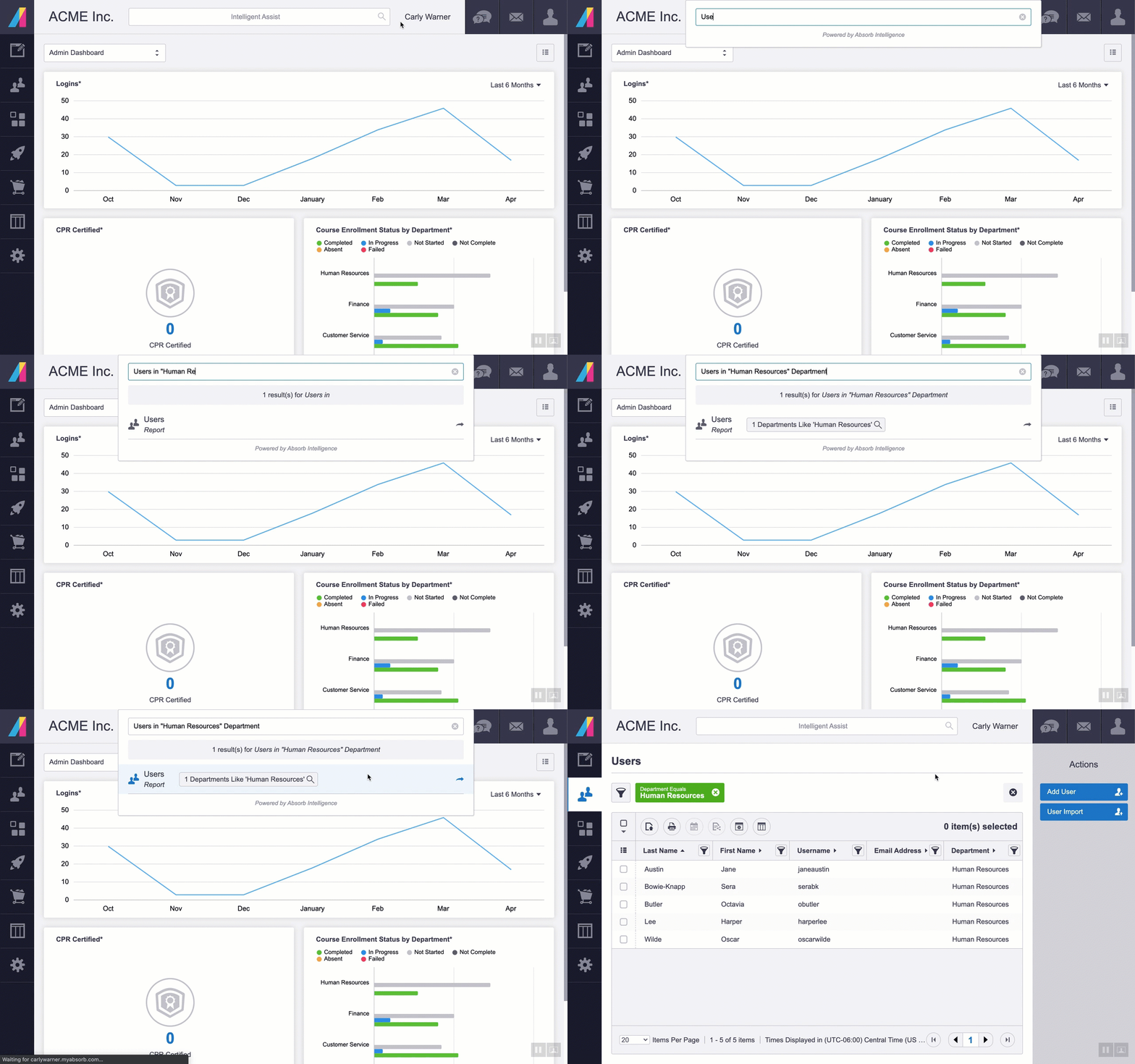
Use quotation marks when identifying Course or Department Names.
- Single and double quotation marks can be used in searches.
- If you are looking for Users who belong to a specific Department or who are enrolled in a specific Course, you would enter search statements such as:
- Users in the "Human Resources" Department
- Users enrolled in "Driving Safety."
-
Use quotation marks when identifying Course or Department Names.
-
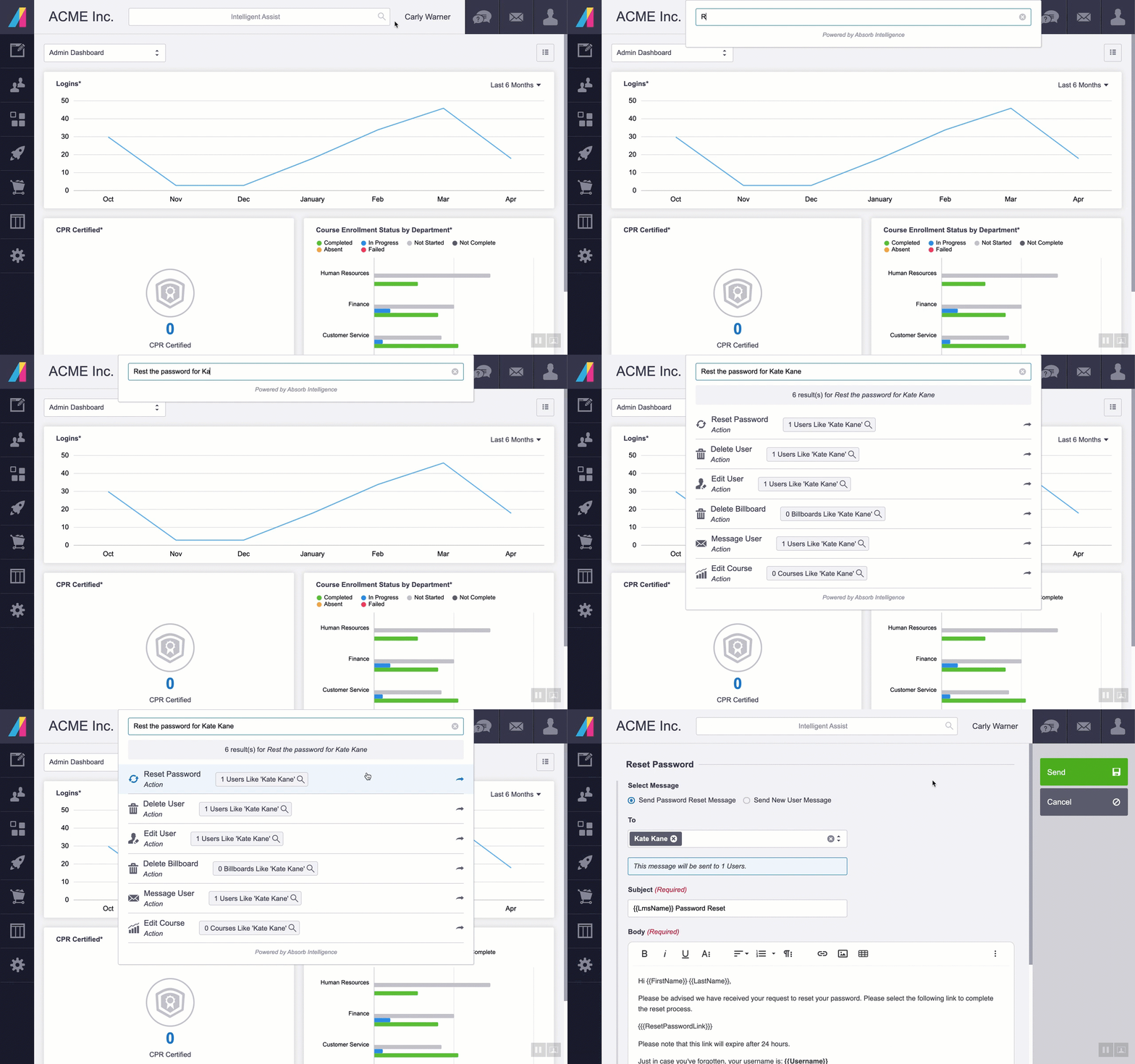
Quotation marks are not needed when searching First Names, Last Names, Usernames, or Email addresses.
- If special characters exist within the search value, such as a hyphen, quotations may be necessary. For example, Users with hyphenated last names "Jane Doe-Smith."
- This does not include the At Sign "@" symbol included in email addresses.
-
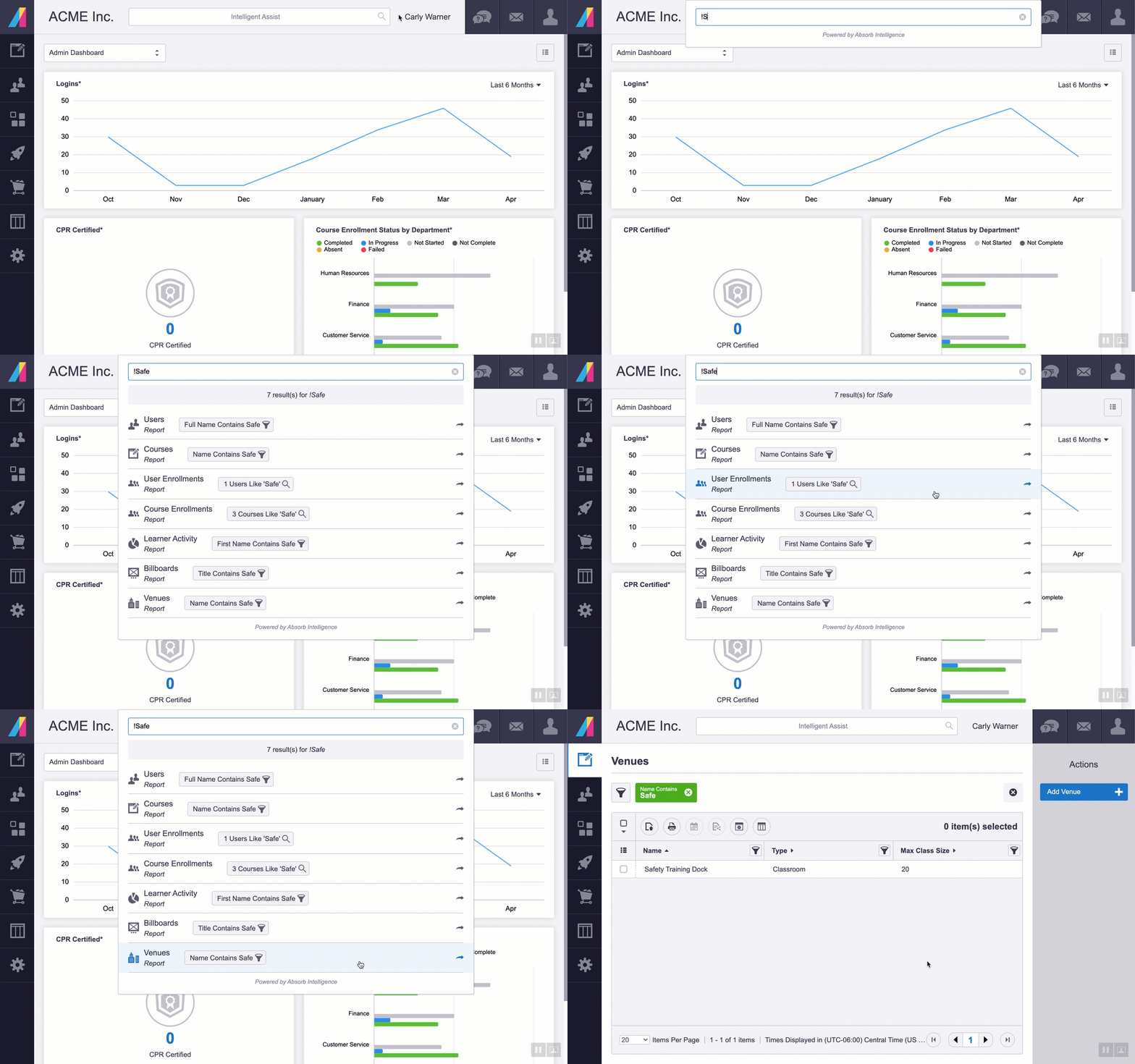
Use the exclamation point (!) to complete a generic search for a User, Course, or Department. The results will include all instances where the value entered appears.
- Example: Entering the search term !Safe returns result for Users, Courses, Course Enrollments, and Venues that all include the word "safe."
- Example: Entering the search term !Safe returns result for Users, Courses, Course Enrollments, and Venues that all include the word "safe."
- Be mindful that the selected Portal Settings >Time Zone is important if you are looking for results where the event time and date are included.
Other powerful features also included in the SkillSync Intelligent™ suite are:
-
Intelligent Recommendations: Users can now see additional courses of interest based on a particular completed course, overall course completions, and popular courses among various users, encouraging skills development and surfacing new material they may not have found otherwise.
-
Intelligent Ranking: Intelligent Ranking delivers enhanced search results in the optimal order based on historical user choices. Results continuously adjust based on data collected from all users' behavior.
- SkillSync Pinpoint: Video lessons are automatically transcribed and timestamped based on AI and natural language processing. Combined with Intelligent Ranking, this allows users searching for specific topics to be taken to a particular point in a video covering that topic. You can read more about SkillSync Pinpoint here at New! SkillSync Pinpoint.
The more SkillSync Intelligent is used, the better it gets. Powered by AI, SkillSync Intelligent™ continues to get smarter with every new piece of content, search query, and course enrollment. It picks up on trends and user behaviors to ensure the most relevant options and results are presented.
Comments
0 comments
Article is closed for comments.